Python in.Blocks out.

A Paper/Spigot plugin and a Python client. Your script places blocks, rewrites whole regions in one call, moves players and runs server commands.

pip install mcpylib
Server
Paper or Spigot 26.1+
Java
25
Python
3.11+
import mathfrom mcpylib import MCPyLibmc = MCPyLib(token="YOUR_TOKEN")size, peak = 20, 6def height(x, z):    d = math.hypot(x - size / 2, z - size / 2) / (size / 2)    return int(peak * (1 - d * d) + math.sin(x / 2) * math.cos(z / 3))island = [[["grass_block" if y == height(x, z) else "dirt"            if y < height(x, z) else None            for z in range(size)] for y in range(peak + 2)]          for x in range(size)]mc.fill(-2, 63, -2, size + 1, 63, size + 1, "water")# returns 576mc.edit(0, 64, 0, island)# returns 1125c, t = size // 2, size // 3mc.placeFeature("minecraft:oak", t, 65 + height(t, c), c)# returns Truemc.setblock(c, 65 + height(c, c), c, "sea_lantern")# returns 1

1,761 blocks from 4 calls

Simulated in the browser. Run it on your server to build it for real. Drag or arrow-key the highlighted numbers.

One method call, one line of JSON

Each method sends one JSON request over TCP and gets one line of JSON back. The connection stays open between calls and reconnects if it drops.

  1. Your script

    mc.setblock(
        100, 64, 200,
        "stone")
  2. Request to port 65535

    {"token": "…",
     "action": "setblock",
     "params": {
      "x": 100, "y": 64,
      "z": 200,
      "block": "stone"}}
  3. Plugin on Paper or Spigot

    Checks the token, then runs the command on the main thread.

  4. Response

    {"success": true,
     "data": 1,
     "error": null}
  5. In the world

    100, 64, 200

Failures raise ConnectionError, AuthenticationError or CommandError, all subclasses of MCPyLibError.

16,384 blocks in about 60 ms

One edit() call on Paper 26.3, plugin 1.2.0. The plugin writes plain blocks straight into chunk sections, without per-block events or lighting updates.

Both methods below place a single block type. edit() can also put a different block at every position.

Blocks placed per second, by region size
Show the numbers
RegionBlocksfill()edit()
Small 10 × 10 × 101,000 blocks1,0000.0525 s19,060/s0.0473 s21,133/s
Medium 20 × 20 × 104,000 blocks4,0000.0548 s72,945/s0.0484 s82,593/s
Large 30 × 30 × 109,000 blocks9,0000.0608 s147,999/s0.0530 s169,737/s
Very large 50 × 50 × 1025,000 blocks25,0000.0886 s282,222/s0.1031 s242,384/s
Huge 100 × 100 × 550,000 blocks50,0000.7618 s65,630/s0.4564 s109,551/s

Wall-clock time per call from Python, network round trip included. One run of fill_vs_edit.py; results vary with hardware and load.

What one edit() call sends

A 1 × 3 × 3 wall with a glass window:

wall = [[["stone", "stone", "stone"],
         ["stone", "glass", "stone"],
         ["stone", "stone", "stone"]]]

mc.edit(0, 64, 0, wall)  # returns 9
  1. Flattenblocks[x][y][z] is read in x, y, z order
  2. Paletteeach distinct block gets an index["stone", "glass"]0 0 0 0 1 0 0 0 0
  3. Run-lengthrepeats collapse into count, index pairs4,01,14,0
  4. Compresszlib, then base64 for the JSON request"eJwz0THQMQRCEx0DAAw3Agc="
  5. Writeone bulkEdit request; the plugin writes each chunk section once"action": "bulkEdit""sizeX": 1"sizeY": 3"sizeZ": 3

Use it from an AI assistant

The MCP server gives an assistant tools that act on your server. Agent Skills teach Claude Code to write MCPyLib scripts.

MCP server

Runs locally with uvx, using the same host, port and token as a script.

claude mcp add \
  --env MCPYLIB_TOKEN=YOUR_TOKEN \
  --transport stdio \
  mcpylib \
  -- uvx --from \
    git+https://github.com/treeleaves30760/MCPyLib-mcp \
    mcpylib-mcp
Tools
86, in seven groups
Prompts
build_structure and survey_area
Safety
Read-only mode, tool allow and deny lists, a block limit per call
Clients
Claude Code, Claude Desktop, Cursor, VS Code or any MCP client
Agent Skills

One Claude Code plugin with four skills.

/plugin marketplace add treeleaves30760/MCPyLib-skills
/plugin install mcpylib@mcpylib-skills
mcpylib
Setup checks, connecting, picking the right block method, errors
mcpylib-building
Shapes, buildings, pixel art and terrain, placed with edit() and undoable
mcpylib-minigames
Game loops, scoreboards, teams, boss bars, mobs and cleanup
mcpylib-mcp
Setting up the MCP server, and when tools beat a script
Set up your assistant

Built with MCPyLib

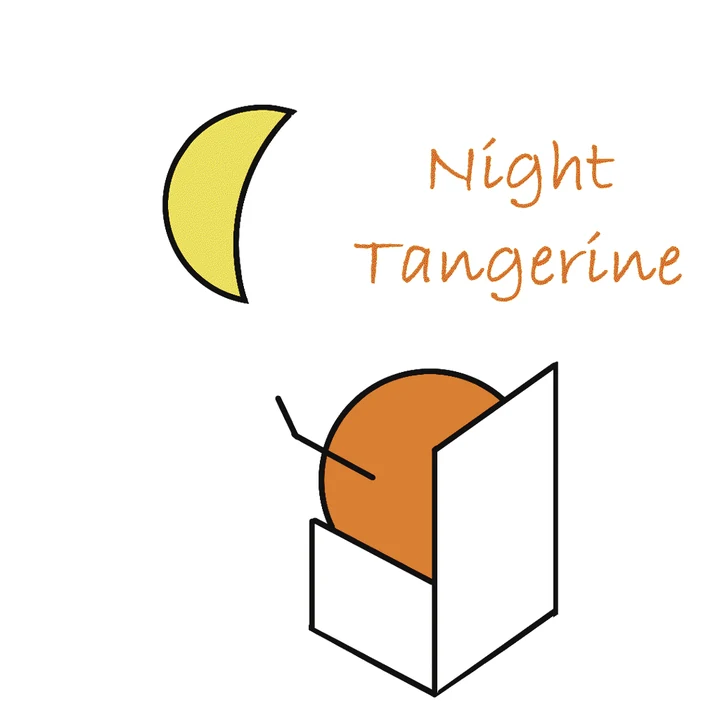
A logo of a crescent moon and a tangerine, rebuilt as Minecraft map art in staircase mode with dithering.The marked square at the moon’s edge, four times larger: dithering mixes map colors pixel by pixel.

Map Art

Turns an image into map art. Staircase mode varies block heights to get 180 map colors instead of 60.

Staircase with dithering: 28.85 dB PSNR, 99 colors

Shaded relief map of a generated mountain range with snow-capped ridges, forests and rivers.

Terrain

Generates mountain ranges with hydraulic erosion, rivers and biomes, then places them with edit(), chunk by chunk.

1024 × 1024 blocks, heights from Y 34 to 270

See the showcase

Quick start

  1. Install the plugin

    Put MCPyLib-Plugin-1.2.1.jar in your server’s plugins folder and restart. Paper or Spigot 26.1+ on Java 25.

  2. Copy your token

    In the server console, or in game as an operator:

    /mcpylib token
  3. Install the client and connect

    pip install mcpylib

    Then run a script with your token:

    first_block.py
    from mcpylib import MCPyLib
    
    mc = MCPyLib(token="YOUR_TOKEN")
    x, y, z = mc.getPos("Steve")
    mc.setblock(x, y - 1, z, "gold_block")
Read the full guide

Questions

Is MCPyLib an official Minecraft product?

No. It’s an independent project, not approved by or associated with Mojang or Microsoft.

Which servers does it run on?

Paper and Spigot 26.1 or newer, on Java 25. Tested on Paper 26.3 and Spigot 26.3. For 1.21.x, stay on plugin 1.1.x. Vanilla, Fabric and Forge servers can’t load Bukkit plugins.

Is it free to use?

For non-commercial use, yes: personal projects, learning, research without tuition, open-source projects and non-profits. It’s source-available, not open source. Commercial use, including paid courses and use inside a company, needs a commercial license: email treeleaves30760@gmail.com.

Is it safe to expose the port?

Requests need the token, but traffic isn’t encrypted. For local scripts, bind the plugin to 127.0.0.1; otherwise allow the port only from addresses you trust. If the token leaks, run /mcpylib token regenerate.

How fast is it?

A 16,384-block edit() takes about 60 ms on Paper 26.3, network round trip included.

What if a command isn’t wrapped?

Use mc.exec("..."). The leading slash is optional.

Which Python versions are supported?

Python 3.11 and newer. Install with pip install mcpylib or uv pip install mcpylib.

Can an AI assistant use it?

Yes, through the MCP server or the Agent Skills. See AI integration.